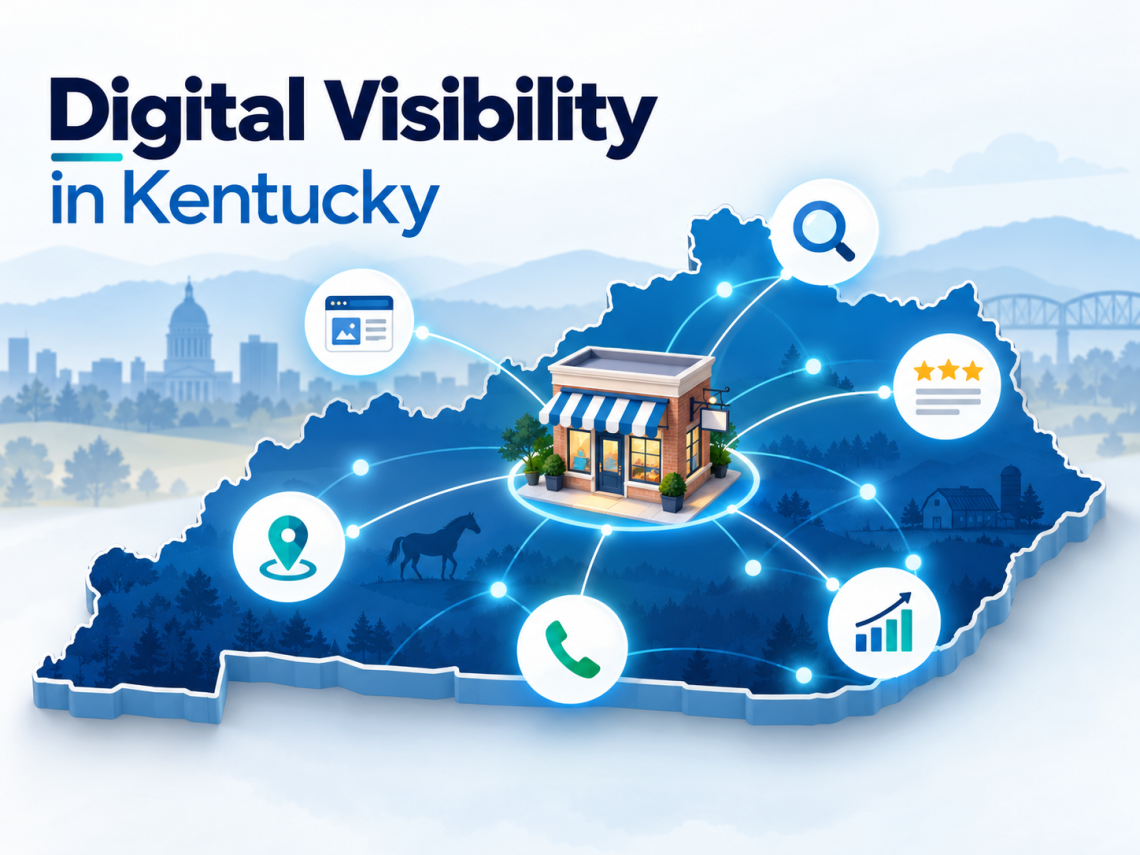
It does need to be easy for the right customers to find, understand, and contact.
For a business operating in Kentucky, that usually means building a clear
digital presence around its real services, location, customer needs, and
business information.
This checklist covers the major areas a small business can review to improve
its overall online visibility.
What Does Digital Visibility Mean?
Digital visibility describes how easily customers can discover and understand a
business online.
It can include visibility through:
- Search engines
- Maps
- Business profiles
- Directories
- Review platforms
- Social media
- Local websites
- Industry websites
The goal is not to create accounts on every platform.
The goal is to make the business visible where potential customers are likely to
look.
1. Confirm the Basic Business Information
Start with the fundamentals.
Confirm the current:
- Business name
- Address where applicable
- Service area
- Phone number
- Website
- Opening hours
- Email address
Incorrect contact information can undermine every other marketing effort.
2. Define the Real Geographic Market
A Kentucky business may serve:
- One neighborhood
- One city
- Several nearby cities
- One county
- Multiple counties
- The entire state
The website and online profiles should reflect the real operating area.
Avoid claiming locations where the business does not actually operate.
3. Check Whether the Website Clearly Explains the Business
A visitor should not need several minutes to figure out what the company does.
The homepage should usually answer:
- What does the business offer?
- Who does it serve?
- Where does it operate?
- How can someone contact it?
If those answers are difficult to find, improve the site’s basic messaging
before adding more content.
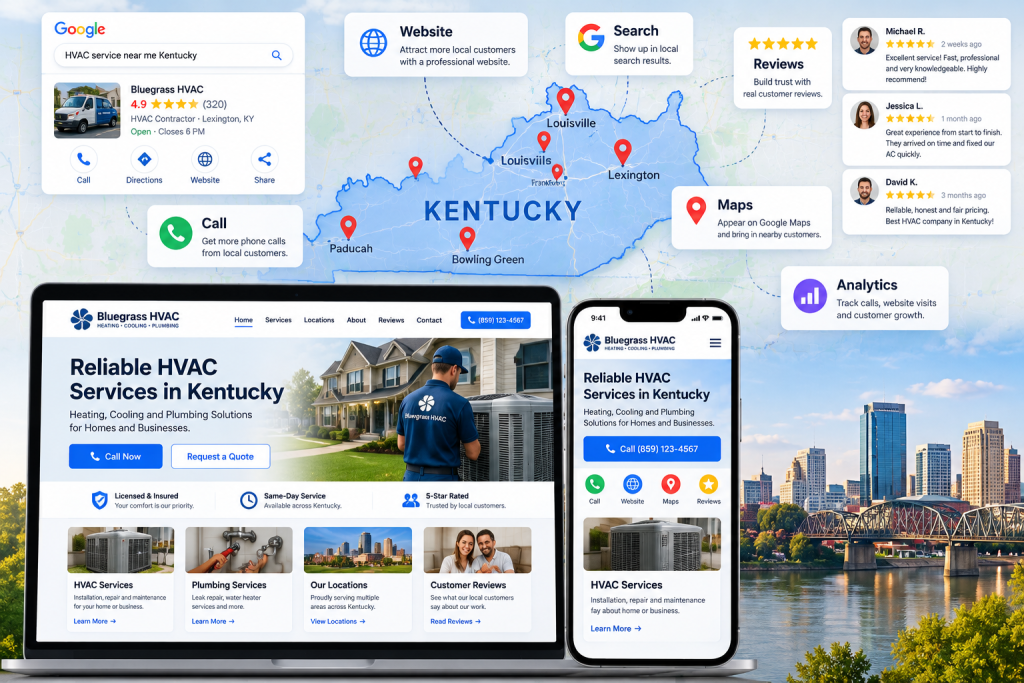
4. Make the Website Mobile Friendly
Many local customers search from mobile devices.
Check whether visitors can easily:
- Read the site
- Use the navigation
- Call the business
- Submit a form
- View service information
- Find directions where appropriate
A website does not need an elaborate mobile design.
It needs to work reliably.
5. Create Clear Pages for Important Services
Important services should be easy to find on the website.
A contractor offering several services might need separate pages for:
- Roof repair
- Roof replacement
- Storm damage repair
- Gutter installation
Separate pages make sense when the customer needs and services are genuinely
different.
Do not create multiple nearly identical pages for minor keyword variations.
6. Review Location and Service-Area Content
Businesses serving multiple areas may benefit from geographic content.
However, every location page should have a real purpose.
A useful page may explain:
- Which services are available in the area
- How the business serves that market
- Relevant local considerations
- Contact or scheduling options
Avoid creating dozens of city pages that differ only by city name.
7. Review Google Business Profile
For many local businesses, Google Business Profile is one of the most important
parts of the digital presence.
Review:
- Business name
- Primary category
- Additional categories
- Address or service area
- Phone number
- Website
- Hours
- Photos
- Services
- Reviews
Profile information should match the real business.
For a deeper review, use the
Google Business Profile Guide.
8. Check Major Business Listings
A local business may appear across directories, industry websites, associations,
and other platforms.
Review the listings that actually matter.
Look for:
- Old addresses
- Old phone numbers
- Wrong website URLs
- Duplicate business profiles
- Incorrect opening hours
Accuracy is more important than having the largest possible number of
directory listings.
9. Search the Business Name
One of the simplest visibility checks is to search for the company by name.
Look at what a potential customer sees.
Check:
- Does the official website appear?
- Is the business profile visible?
- Are outdated listings prominent?
- Do review platforms appear?
- Are unrelated businesses creating confusion?
A branded search provides a quick overview of the public digital footprint.
10. Search the Business Name With the City
For businesses with common names, adding the location can reveal additional
information.
Examples might include:
- Business Name Louisville
- Business Name Lexington
- Business Name Bowling Green
Review whether the results consistently represent the correct business.
11. Search the Main Services
Next, search the services potential customers actually need.
For example:
- plumber Louisville
- Lexington roof repair
- electrician Bowling Green
- dentist near me
The goal is not simply to record one ranking position.
Observe which types of businesses, directories, map results, and pages appear.
12. Understand Local Search Intent
Different searches represent different customer needs.
| Search | Likely Intent |
|---|---|
| how to fix a leaking faucet | Informational |
| Louisville plumber | Local service |
| best plumbers near me | Commercial comparison |
| emergency plumber open now | Urgent local service |
The website should have pages appropriate for the searches that matter to the
business.
13. Review Page Titles
Each important page should have a clear title describing its subject.
For a service page, a simple structure might be:
Roof Repair in Louisville, KY | Business Name
Avoid titles that repeat the same keyword excessively.
14. Review Heading Structure
The page title generally provides the main heading.
Body content can use H2 and H3 headings to organize supporting sections.
Headings should make the page easier to scan rather than functioning as a place
to repeat keywords.
15. Check Important Calls to Action
Potential customers should know what to do next.
Depending on the business, that might be:
- Call
- Request a quote
- Book an appointment
- Schedule service
- Visit the location
- Make a reservation
Do not make visitors search through the site for basic contact options.
16. Test the Phone Number
This sounds simple, but local websites sometimes publish old or incorrect
numbers.
Check the phone number on:
- Website header
- Website footer
- Contact information
- Google Business Profile
- Important directories
Make sure calls reach the correct destination.
17. Test Contact Forms
A form that appears to work may still fail to deliver messages.
Submit a real test and confirm that:
- The form accepts the submission
- The business receives the message
- Confirmation messaging works
- Spam filtering is not blocking legitimate inquiries
A broken form can quietly waste leads for months.
18. Review Customer Reviews
Look at the business’s recent review profile.
Consider:
- Average rating
- Total reviews
- Recent review activity
- Repeated compliments
- Repeated complaints
- Business responses
Do not evaluate reputation using the star rating alone.
19. Create an Ongoing Review Process
Businesses should not wait until the review profile becomes outdated before
asking customers for feedback.
Build a simple process for requesting honest reviews from genuine customers.
A consistent review process is generally easier to manage than occasional large
campaigns.
20. Respond to Reviews Professionally
Review responses are visible to future customers.
Keep responses:
- Professional
- Natural
- Concise where possible
- Respectful
Move sensitive customer matters away from public review threads when
appropriate.
21. Review Business Photos
Photos can help customers understand what the business looks like.
Useful images may include:
- Exterior
- Interior
- Team members
- Products
- Equipment
- Completed projects
Use real and current imagery where practical.
22. Check Website Images
Images should support the content without making the site unnecessarily slow.
Review:
- File size
- Dimensions
- Image quality
- Alt text
- Mobile display
Alt text should describe the image naturally.
23. Check Website Speed
Slow loading can make the site frustrating for potential customers.
Common problems include:
- Very large images
- Too many scripts
- Heavy plugins
- Complex animations
- Poor hosting performance
Focus on practical usability rather than obsessing over one performance score.
24. Check HTTPS
Important pages should load securely using HTTPS.
Also look for mixed-content warnings or old HTTP links that may create browser
or security issues.
25. Check Whether Search Engines Can Access the Website
A business can have excellent content that search engines cannot properly crawl.
Review:
- Robots directives
- Noindex settings
- Canonical tags
- Redirects
- Broken pages
- XML sitemap
Accidental indexing restrictions can prevent important pages from appearing in
search.
26. Set Up Search Performance Measurement
A business should have some way to understand whether the website is appearing
in search.
Search performance data can help identify:
- Queries
- Impressions
- Clicks
- Landing pages
- Indexing issues
Without measurement, decisions become much more dependent on guesswork.
27. Measure Customer Actions
Traffic alone does not show whether digital visibility is useful.
Track customer actions such as:
- Calls
- Form submissions
- Bookings
- Appointments
- Quote requests
- Purchases
The correct conversion depends on the business.
28. Review Where Leads Actually Come From
Ask new customers how they discovered the company when appropriate.
Combine that information with analytics and search data.
Possible sources may include:
- Google Search
- Google Maps
- Referrals
- Social media
- Directories
- Advertising
- Word of mouth
Knowing what already works can guide future investment.
29. Review Local Competitors
Competitor research can reveal the digital environment around the business.
Compare:
- Website quality
- Service pages
- Google Business Profiles
- Reviews
- Content
- Local mentions
Use competitors to understand the market rather than copying their websites.
30. Look for Local Relationship Opportunities
Digital visibility can grow through real-world business relationships.
Possible opportunities include:
- Local associations
- Community organizations
- Events
- Suppliers
- Partners
- Local media
- Professional organizations
These relationships can create referrals, mentions, and relevant links
naturally.
31. Build Links That Make Sense
A backlink should make contextual sense.
For a Kentucky business, locally or professionally relevant websites may provide
more meaningful context than unrelated websites created only to host links.
Evaluate:
- Relevance
- Website quality
- Page context
- Potential referral traffic
- Real relationship to the business
32. Avoid Measuring Links With One Score
Third-party SEO tools provide metrics that can help with research.
But one authority score does not completely describe a website or backlink.
Different tools use different databases and calculation methods.
Use metrics as supporting evidence rather than absolute truth.
33. Publish Content That Supports the Business
A small business blog should not become a random publishing machine.
Useful topics may include:
- Common customer questions
- Service explanations
- Maintenance advice
- Cost considerations
- Industry changes
- Local issues relevant to customers
Content should connect naturally to the services the business actually offers.
34. Link Educational Content to Relevant Services
A useful article can help visitors move toward a service when appropriate.
For example:
How to Tell if Your Roof Is Leaking → Roof Repair Service
Internal links can create a clearer customer journey.
35. Remove Outdated Information
Old information can create customer confusion.
Review the website periodically for:
- Closed locations
- Old employees
- Discontinued services
- Old phone numbers
- Expired promotions
- Incorrect opening hours
Accuracy is part of visibility.
36. Keep Business Profiles Updated After Major Changes
Whenever the company changes important business information, review the major
online properties at the same time.
This includes changes to:
- Address
- Phone number
- Website
- Opening hours
- Business name
- Primary services
37. Review the Customer Journey From Search to Contact
Pretend you know nothing about the business.
Search for it as a potential customer.
Then ask:
- Can I find the business?
- Can I understand what it does?
- Can I tell whether it serves my area?
- Can I evaluate its reputation?
- Can I contact it easily?
Every unnecessary obstacle can reduce the value of digital visibility.
38. Do Not Try to Fix Everything at Once
A small business may discover dozens of issues during a digital review.
Prioritize the problems that have the biggest practical impact.
A reasonable order may be:
- Incorrect contact information
- Broken website functionality
- Serious crawling or indexing issues
- Missing core service pages
- Incomplete business profile information
- Poor mobile usability
- Review and reputation problems
- Local listings
- Content expansion
- Link opportunities
39. Recheck the Basics Regularly
Digital visibility is not a one-time project.
Businesses change and online platforms change.
A quarterly or periodic review can help identify:
- Broken links
- Old business information
- New reviews
- Declining website performance
- New search opportunities
- Changes in competitors
Kentucky Small Business Digital Visibility Checklist
| Area | Status to Review |
|---|---|
| Business information | Accurate and current |
| Website | Clearly explains services and location |
| Mobile usability | Easy to navigate and contact |
| Service pages | Main services have useful content |
| Location information | Represents real locations or service areas |
| Google Business Profile | Complete and accurate |
| Reviews | Recent and monitored |
| Business listings | Important listings are accurate |
| Technical SEO | Important pages are accessible |
| Search measurement | Queries and landing pages can be monitored |
| Conversions | Calls, forms, or bookings are measured |
| Local relationships | Relevant opportunities are identified |
| Content | Supports real customer questions |
Digital Visibility Does Not Require Being Everywhere
Small businesses often waste time trying to maintain too many platforms.
A stronger approach is to identify the channels that actually matter.
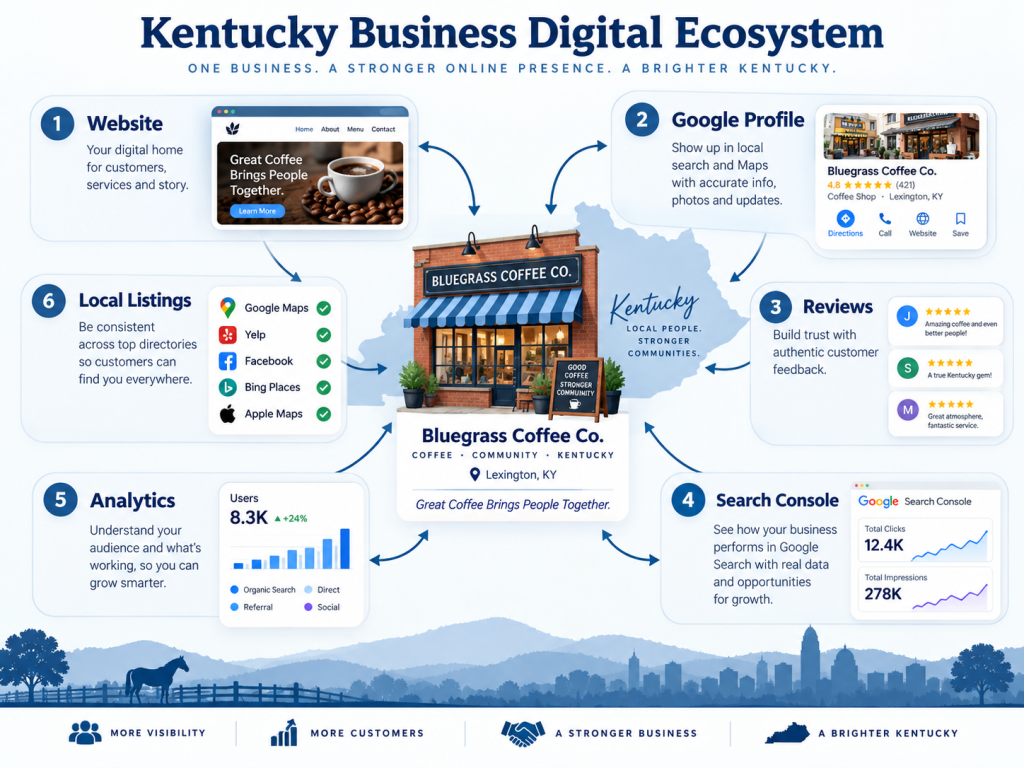
For many Kentucky businesses, that foundation may consist of:
- A useful website
- Accurate Google Business Profile information
- Real customer reviews
- Relevant local listings
- Search visibility
- Basic performance measurement
Additional channels can be added when they support the business.
Start With Accuracy, Then Build Visibility
Digital marketing works better when the underlying information is correct.
Before chasing traffic, links, followers, or rankings, make sure potential
customers can find accurate answers to basic questions.
What does the business do?
Where does it operate?
How can someone contact it?
What do existing customers say?
Once those foundations are clear, search optimization and broader digital
marketing have a stronger base to build on.
For Kentucky and Louisville business resources, visit
Louisville Business Resources.
For a more detailed local search audit, use the
Local SEO Checklist.
